Searching Events
Search across all of your council’s events by name, details, or location — including events that aren’t shown in the upcoming events list.
Finding Events with Search
Step 1: Open the Search Page
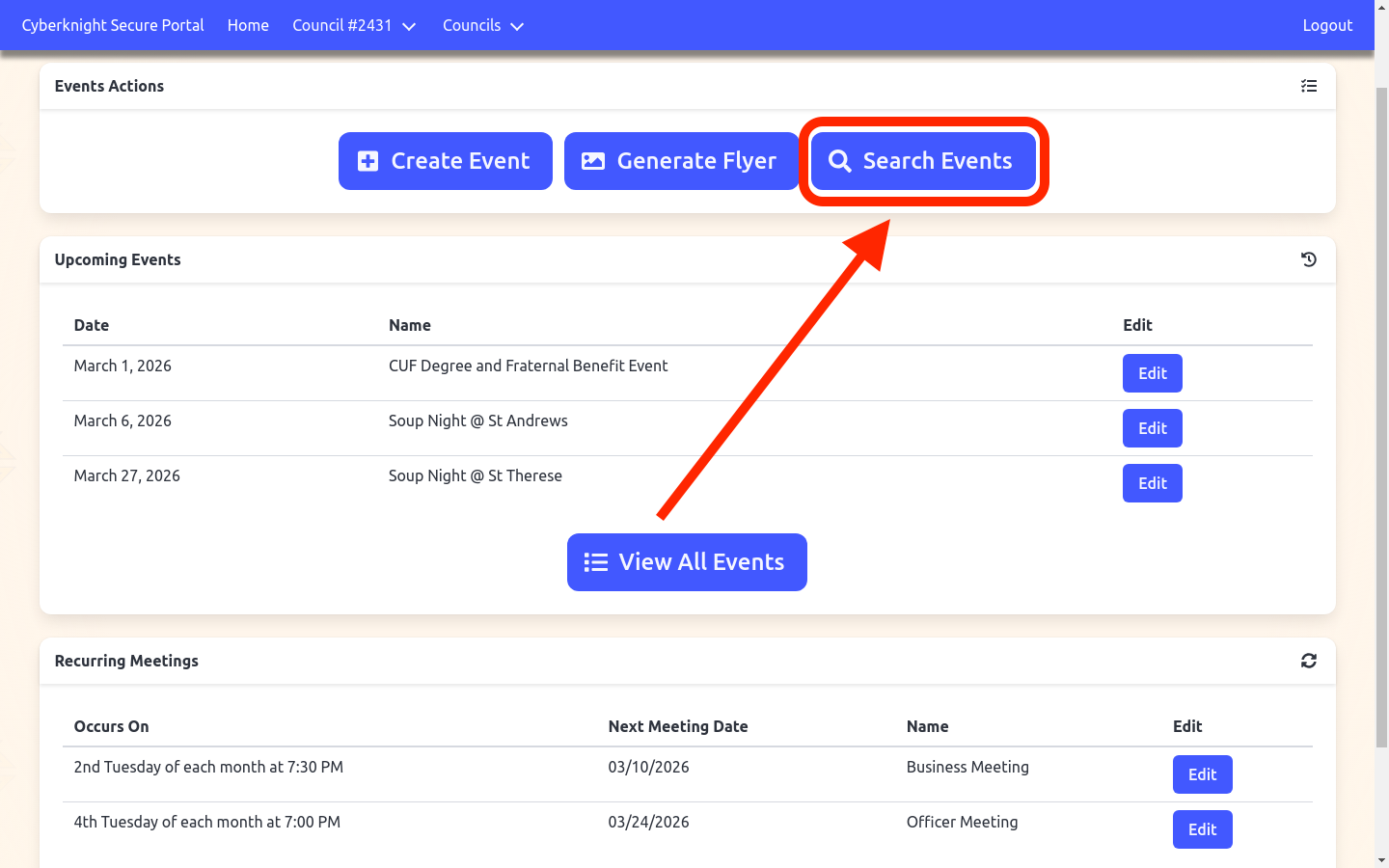
From the Events Overview, click Search Events in the Events Actions card.
Step 2: Enter a Search Term
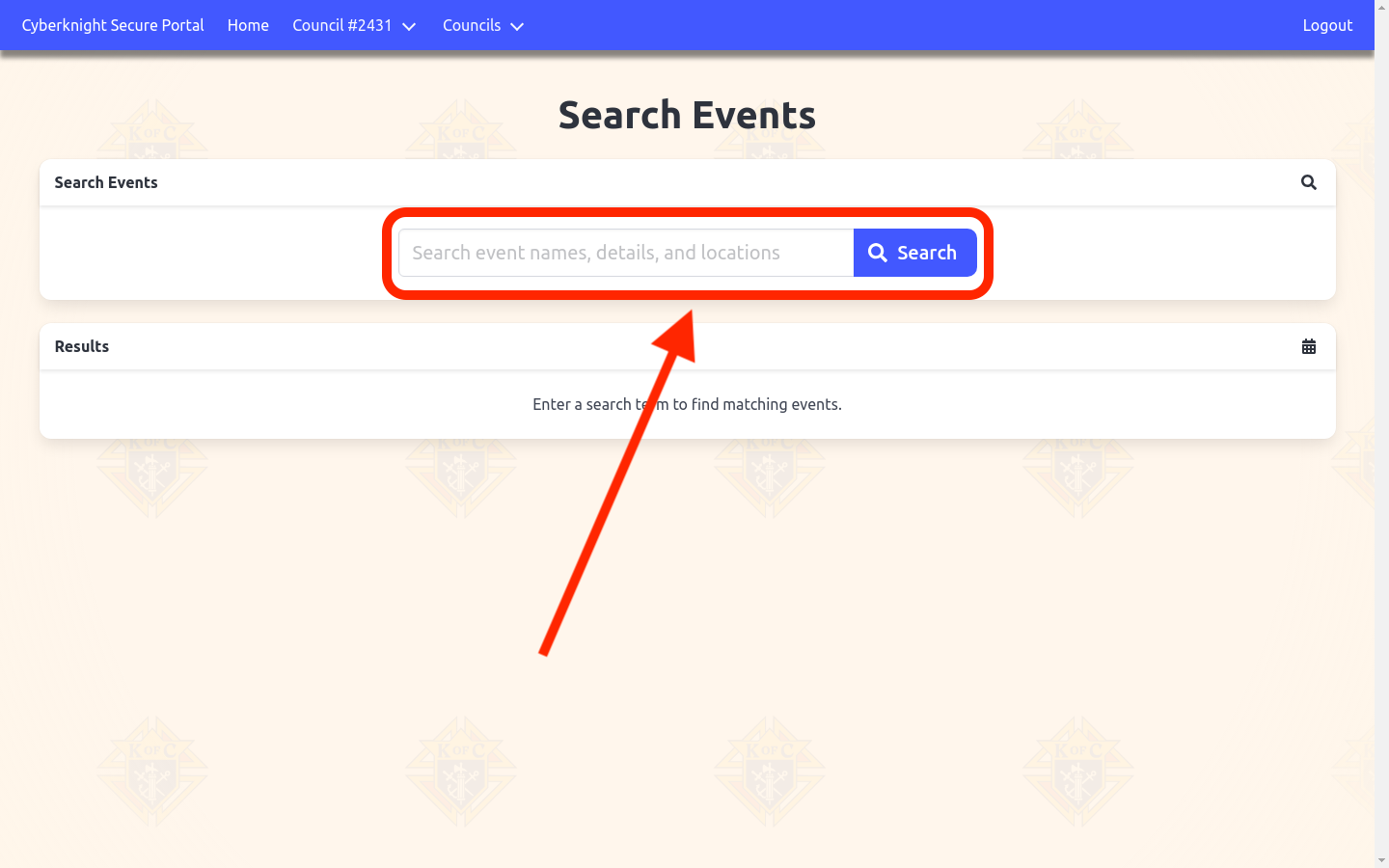
Type any word or phrase into the search field and click Search. The search matches against event names, details text, and location addresses.
Step 3: Review Results and Edit
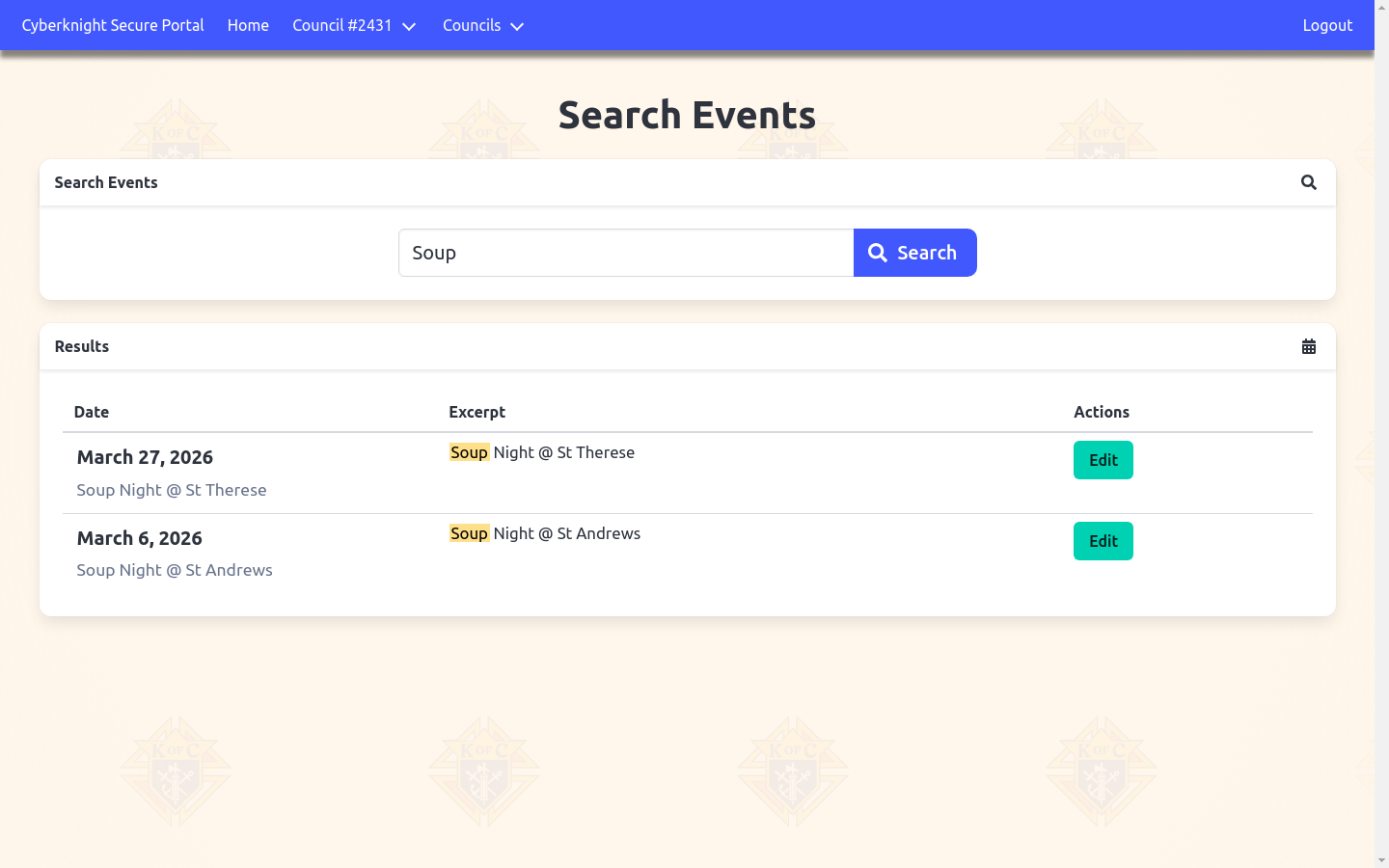
Each result shows the event date, a text excerpt with your search term highlighted in yellow, and an Edit button to open that event directly.
Tips
- Search is case-insensitive — searching “soup” and “Soup” return the same results.
- Results are sorted newest first — the most recent matching event appears at the top.
- Search includes all events — not just upcoming ones; past events are included.