Previewing Newsletters
The newsletter preview feature allows you to review the complete monthly newsletter before sending it to your council members. This helps you verify that all events, posts, and content are displayed correctly.
Previewing the Current Month’s Newsletter
Step 1: Navigate to the Newsletters Overview page
From the main navigation menu, click Newsletters to access the Newsletters Overview page where you can manage all newsletter activities.
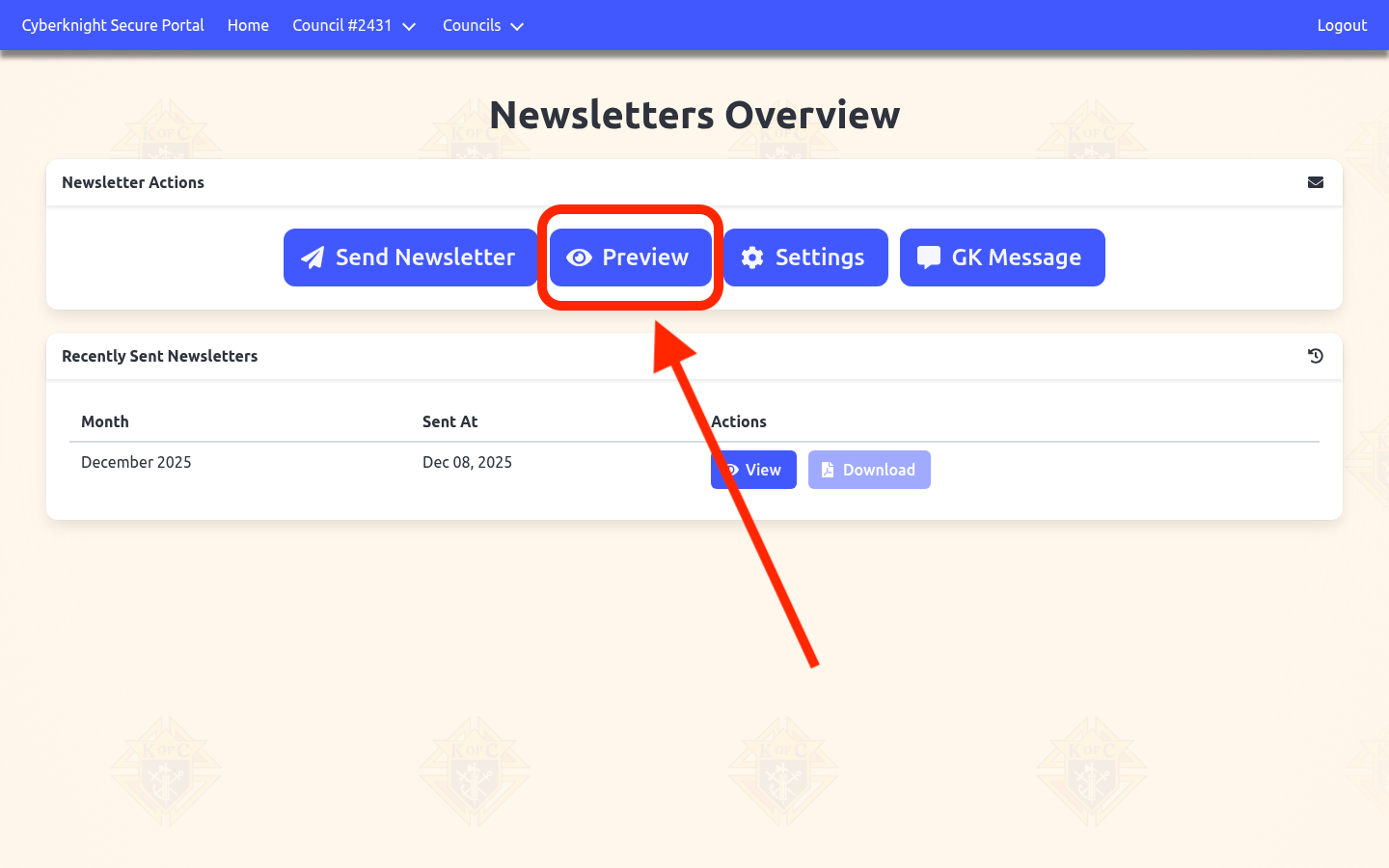
Step 2: Click the Preview button
In the Newsletter Actions section, click the blue Preview button to view the current month’s newsletter content before sending it to members.
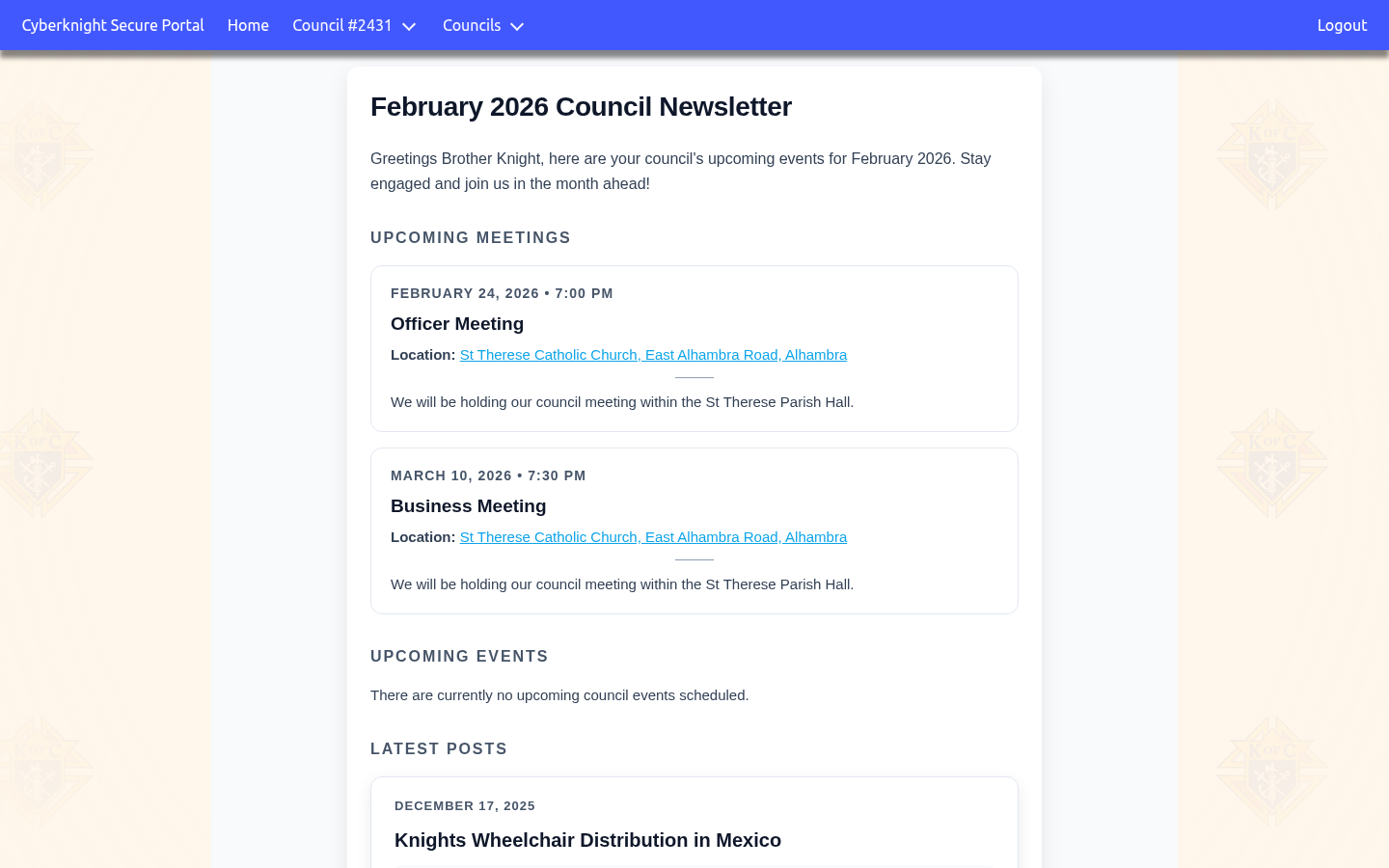
What You’ll See in the Preview
The newsletter preview displays:
- Month and greeting - The newsletter title and opening message
- Upcoming Meetings - All scheduled council meetings with dates, times, and locations
- Upcoming Events - Council events for the month (if any are scheduled)
- Latest Posts - Recent blog or news posts from your council
- Columbia Magazine - The current month’s issue of the official Knights of Columbus magazine